How to Find and Fix the Error Hiding Your Map Pin from Local Customers using Google Business Profile SEO
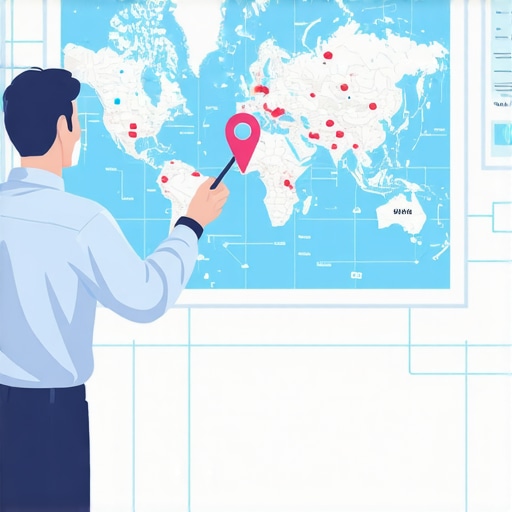
Imagine this: You’ve spent years building your reputation as one of the premier HVAC contractors in Virginia Beach. You have the trucks, the team, and a stack of 5-star reviews that would make any competitor jealous. One afternoon, you decide to check your standing. You open Google Maps from your office near Town Center, type in your primary service, and wait for that familiar red pin to drop. But it doesn’t. Instead, you see rivals from Norfolk, Chesapeake, and even a guy operating out of a garage in Suffolk – yet your business, located right there in the heart of the city, is nowhere to be found.
This is the “Invisible Business” nightmare, a phenomenon I call “ghosting” in the local search ecosystem. As a Google Business Profile Product Expert, I see this daily. Business owners are rightfully frustrated. They’ve played by the rules, they’ve verified their listings, and yet they remain invisible. It’s a digital vanishing act that costs Coastal Virginia businesses thousands of dollars in lost leads every single month. You might be wondering about The Real Reason Your Virginia Beach Shop Is Hidden on Google Maps, and the truth is usually buried in technical errors rather than a lack of effort.
The frustration is real. I recently encountered a case on Reddit where a business owner with over 500 verified reviews and a daily posting schedule could not find their pin for any local search terms. They were “verified,” but they weren’t “visible.” In the world of local search, those are two very different things. If you are struggling to understand why your pin has vanished, it is time to stop guessing and start diagnosing. Your google business profile seo depends on identifying the specific technical “sickness” that is keeping your pin in the shadows.
The “Service Area Business” (SAB) Trap: Why Your Pin Isn’t Where You Think It Is
One of the most common reasons a business pin “disappears” is not actually an error, but a setting. When you set up your profile, Google asks if you want to display your address to the public. For many home service providers – plumbers, roofers, and mobile detailers – the instinct is to hide the home office address for privacy. By selecting the “Service Area Business” (SAB) designation, you are essentially telling Google, “I don’t have a storefront where customers visit.”
The immediate consequence? Google removes the specific red pin from the map. Instead of a pin, Google displays a shaded service area – a “blob” on the map that represents the territory you cover. While this protects your privacy, it significantly alters how you appear in the “Map Pack.” Google Support’s official stance is that SAB listings are designed to show where you work, not where you sit. However, this creates a psychological gap for the user. When a customer in Virginia Beach sees ten red pins and one shaded area, their eyes naturally gravitate toward the pins. They want to see a physical location because proximity breeds trust.
The trade-off between privacy and visibility is the first hurdle in google business profile seo. If you are an SAB, you are fighting an uphill battle for prominence because you lack the “anchor” of a physical pin. To compensate, your google business profile seo must be flawless in other areas, such as category depth and local relevance, to ensure that even without a pin, your name still appears in the top three results. If you’ve hidden your address but expect a pin to show up at your house, you’ve fallen into the SAB trap.
Verification vs. Visibility: Why “Verified” Isn’t Enough to Rank Google Business Profile Listings
I often hear business owners say, “But Kevin, Google sent me the postcard! I’m verified!” In my professional capacity, I have to tell them: Verification is just the entry ticket. It doesn’t guarantee a front-row seat. In fact, it doesn’t even guarantee you’re in the building yet.
There is a persistent myth that the moment you enter that five-digit code, your business will skyrocket to the top of the Map Pack. In reality, there is often a significant “indexing delay.” According to Google Support Thread #1879354, new or newly verified businesses can wait upwards of 3 to 6 months before they are fully indexed for competitive local keywords. During this period, your profile exists, but it is effectively “ghosted” by the algorithm while Google validates your legitimacy through third-party data sources. This is exactly Why Your VB Shop is Ghosted by Google Maps Even With 5-Star Ratings during those first critical months.
Verification confirms you are a real entity at a real location. Visibility, however, is a measure of trust. Google isn’t just looking for a verified listing; it’s looking for a listing that provides the best answer to the user’s query. If your profile is verified but lacks optimized descriptions, high-quality photos, or consistent activity, the algorithm will bury you beneath competitors who are more “active.” To rank google business profile listings effectively, you must move beyond the postcard and start building a digital footprint that proves you are the authority in Virginia Beach.
The 11 Deadly Sins: Why Google Suspends or “Shadowbans” Your Profile
Sometimes, the reason your pin is missing is much more serious: you’ve been sidelined. Google is increasingly aggressive with suspensions, and in 2024 and 2025, we’ve seen a massive uptick in “soft suspensions” or shadowbans where a listing remains active in the dashboard but vanishes from public view. This usually happens because of what I call the “Deadly Sins” of local SEO.
The leading cause of sudden profile removal is “Keyword Stuffing” the business name. If your legal name is “Beachside Plumbing” but your GBP says “Beachside Plumbing – Best Plumber Virginia Beach Emergency Repair,” you are begging for a suspension. Google’s AI filters are now sophisticated enough to cross-reference your GBP name with your Secretary of State filings and your website. When they don’t match, the pin disappears.
Another major issue is “Address Messiness.” If you are using a UPS Store address, a virtual office, or a co-working space without a dedicated, private entrance, you are violating Google’s Terms of Service. These “messy” citations act like digital anchors, dragging your rankings down until you eventually fall off the map entirely. This is Why Messy Local Citations Are Killing Your Virginia Beach Map Rankings. To stay safe, you should regularly use a google business profile audit tool to ensure your data is clean and compliant. Other “sins” include having multiple profiles for the same location, using a tracking phone number as your primary contact, or having an unauthorized user (like a former disgruntled employee) as an owner on the account.
The Top Reasons for Suspension in 2025:
- Keyword Stuffing: Adding extra descriptive words to your business name.
- Virtual Offices: Using P.O. boxes or “virtual” addresses as physical locations.
- Category Conflicts: Choosing primary categories that don’t match your website content.
- Duplicate Listings: Having more than one verified listing for the same physical space.
- NAP Inconsistency: Having different Names, Addresses, or Phone numbers across the web.
The Algorithm: Proximity, Relevance, and Prominence
If your pin is technically “there” but you have to zoom in ten times to find it, you aren’t suffering from an error – you’re suffering from poor google maps ranking service metrics. The Google local algorithm is built on three pillars: Proximity, Relevance, and Prominence.
Proximity is the most straightforward but also the most frustrating. It’s why you might see a competitor two miles further away outranking you. If Google perceives their “Prominence” to be significantly higher than yours, it will ignore the distance factor. This explains Why Your Coastal Virginia Leads Are Going to Competitors Two Miles Further Away. They have more “digital weight.”
Relevance is how well a local profile matches what someone is searching for. If someone searches for “organic dog grooming” and your profile only mentions “pet grooming,” you lose. This is where google business profile optimization becomes critical. You need to use your services section and your business description to signal to the AI that you are the exact match for specific, long-tail queries.
Prominence is essentially your business’s “fame.” This is calculated based on information that Google has about a business from across the web, like links, articles, and directories. Review count and review score factor into local search ranking; more reviews and positive ratings can improve your business’s local ranking. In 2026, prominence is also being calculated by how often your business is mentioned in local news or community blogs in the Virginia Beach area. If the local community isn’t talking about you online, Google assumes you aren’t prominent enough for the top spot.
Technical Troubleshooting Checklist for 2026
As we move toward a search landscape dominated by AI and “Search Generative Experience” (SGE), the requirements for staying visible are changing. AI filters are now looking at “Service” descriptions and “User-Generated Content” (photos and reviews) to decide which pins to show. To ensure you rank higher on google maps, you must perform a rigorous technical audit.
Is your profile ready for the future? Use this checklist to diagnose your visibility issues:
- Check Primary Category: Ensure your primary category is the most specific one available. Don’t just pick “Restaurant” if you are a “Pizza Restaurant.”
- Audit Your NAP: Is your Name, Address, and Phone number identical on your website, your GBP, and your Facebook page? Even a “St.” vs “Street” discrepancy can cause a “filter” effect.
- Check for Duplicate Listings: Search for your phone number on Google Maps. If two listings show up, Google will “filter” one of them out, and it might be the one you want to keep.
- Review Your Service Area: If you are an SAB, ensure your radius doesn’t exceed 2 hours of driving time. Overextending your service area can lead to a “relevance” penalty.
- Analyze AI Search Filters: Is Your GMB Virginia Beach Ready for 2026 AI Search Filters? Check if your business descriptions use natural language that an AI can easily parse for “intent.”
- Verify Management Access: Ensure no “suspended” users have access to your profile. A “bad actor” on your account can get your listing flagged by association.
Conclusion: The Path to Map Dominance in Virginia Beach
A hidden map pin is rarely a permanent death sentence for a business. More often than not, it is a fixable technical error, a policy violation that needs correcting, or a simple lack of algorithmic “fuel.” Whether it’s the SAB trap, an indexing delay, or a messy citation footprint, these issues can be systematically resolved. You don’t have to remain the “best-kept secret” in Coastal Virginia.
The local search landscape is becoming more competitive as Google integrates AI into every search result. In this environment, “good enough” optimization is no longer enough. You need a proactive strategy to maintain your visibility and protect your pin from being filtered out by competitors. Stop letting your rivals claim the customers that are literally standing in your backyard. It is time to audit your profile, clean up your data, and reclaim your spot at the top of the map. Take the first step today and How to Claim the Top VA Beach Map Spot Before Summer 2026. Your customers are looking for you – make sure they can actually find you.